↻
Several messages in one bar
Add as many messages as the campaign needs and choose how they play: static, rotating on an interval, or scrolling continuously.
BoostApps Announcement Bar is a Shopify announcement bar app for merchants who run real promotions. Each bar is its own campaign: it can carry several messages that rotate or scroll, a coupon code shoppers copy in one tap, an icon, and a call-to-action button. Bars are placed at the top or bottom of the storefront through a theme app embed, previewed on desktop and mobile before publishing, and — on Pro — targeted to specific pages, scheduled ahead of time, and measured with impressions, clicks, and CTR.
Storefront preview
Top of pageMessages scroll or rotate while the call-to-action stays in place, in a single bar above your theme header — or pinned to the bottom of the page.
Product overview
Add as many messages as the campaign needs and choose how they play: static, rotating on an interval, or scrolling continuously.
Show a discount code right inside the bar with a Copy button, so shoppers take the offer without leaving the page.
Count down to a deadline in the message itself, then hide the bar or swap it for an ending message when time runs out.
Decide which pages a bar appears on, set start and end dates in advance, and track impressions, clicks, and CTR per bar.
Features
Every bar is an independent campaign with its own messages, styling, placement, and schedule. Bars that match the same page stack neatly underneath each other instead of competing for the same slot.
Why use an Announcement Bar
Shoppers rarely go looking for your promotion. An announcement bar puts the offer, the code, or the shipping notice in the one place every visitor sees first — without interrupting the shopping experience.
Announce sales, launches and seasonal campaigns
Share coupon codes shoppers can copy in one tap
Cut support questions with shipping and delivery notices
Send shoppers straight to the right collection or product
Best for Shopify stores that run promotions
Stores running frequent sales and discount codes
Stores with timed or seasonal campaigns
Stores that want promotions live without theme code edits
Pricing
The free plan is a complete announcement bar, not a trial: multiple messages, rotation, coupons, icons, CTA buttons, and styling are all included.
$0/ month
One announcement bar with the full messaging and styling toolkit.
$3.99/ month
Unlimited campaigns plus targeting, scheduling and reporting.
Screenshots
From the bar shoppers see on your storefront to the editor, the bar list, and the performance report inside your Shopify admin.
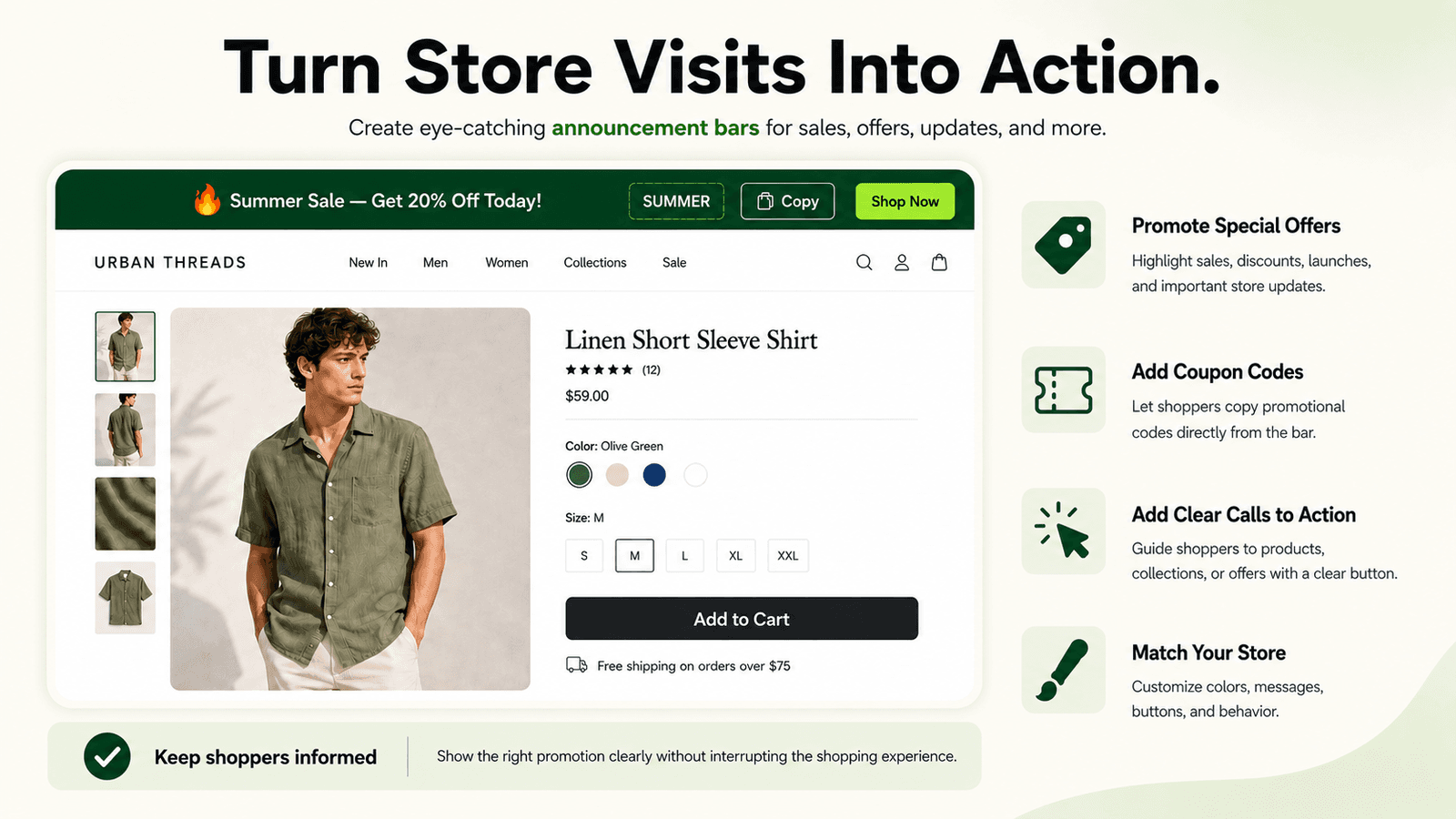
The bar sits above your theme header with the message, coupon code, and call-to-action button in one row.
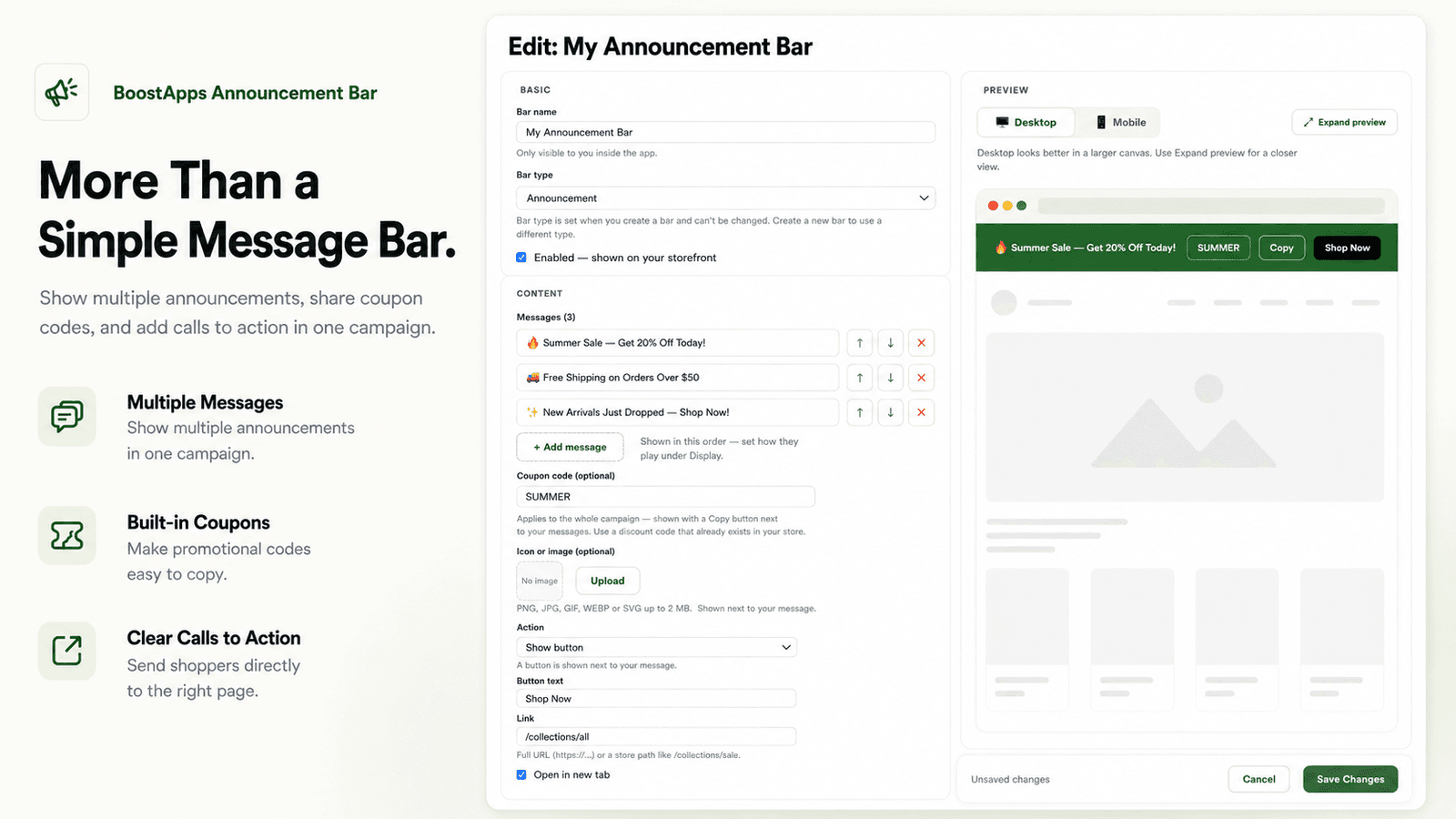
Write your messages, add a coupon and a button, and watch the desktop or mobile preview update as you edit.
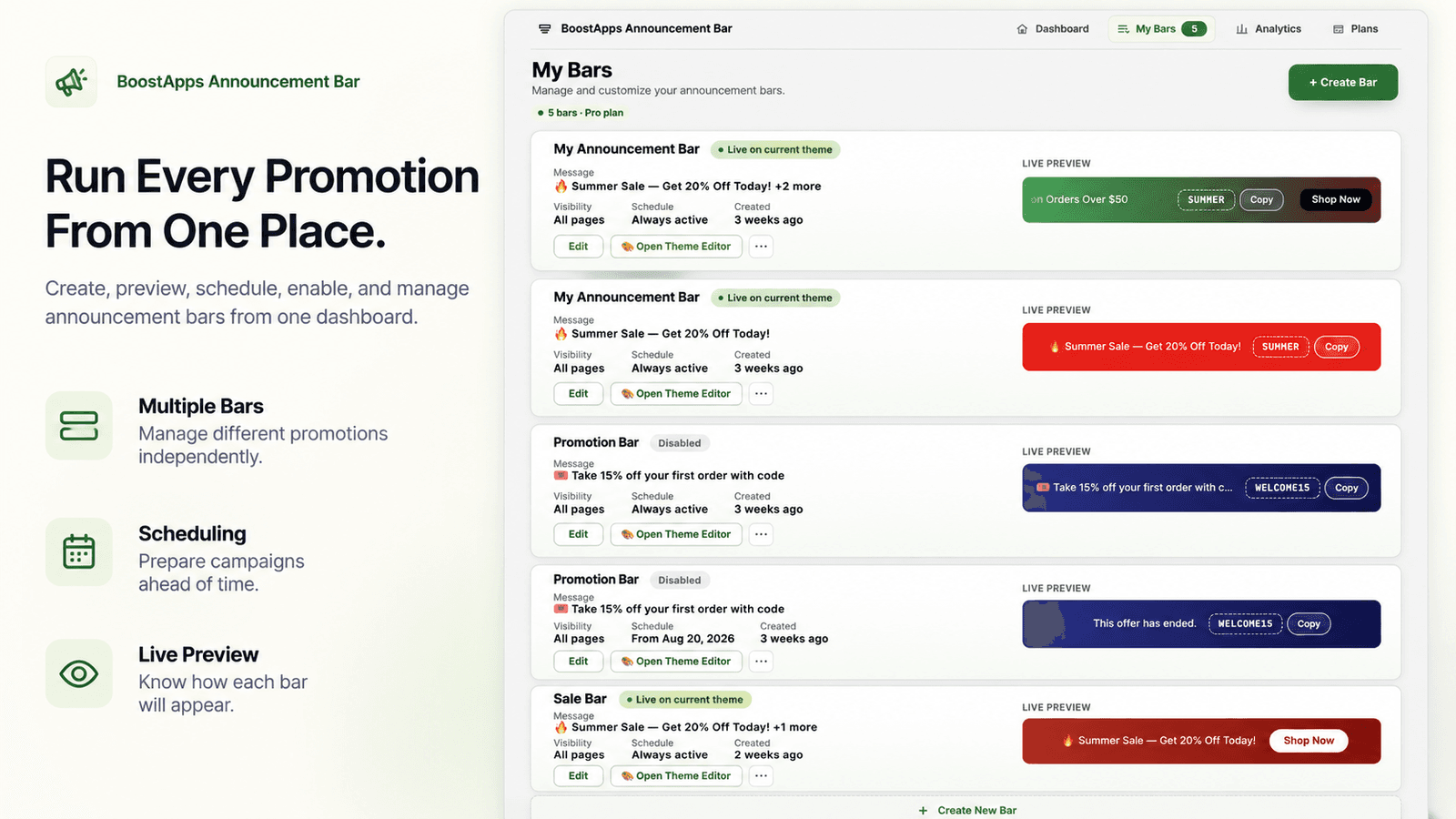
Create, duplicate, schedule, enable and preview each bar from a single list, with its live status at a glance.
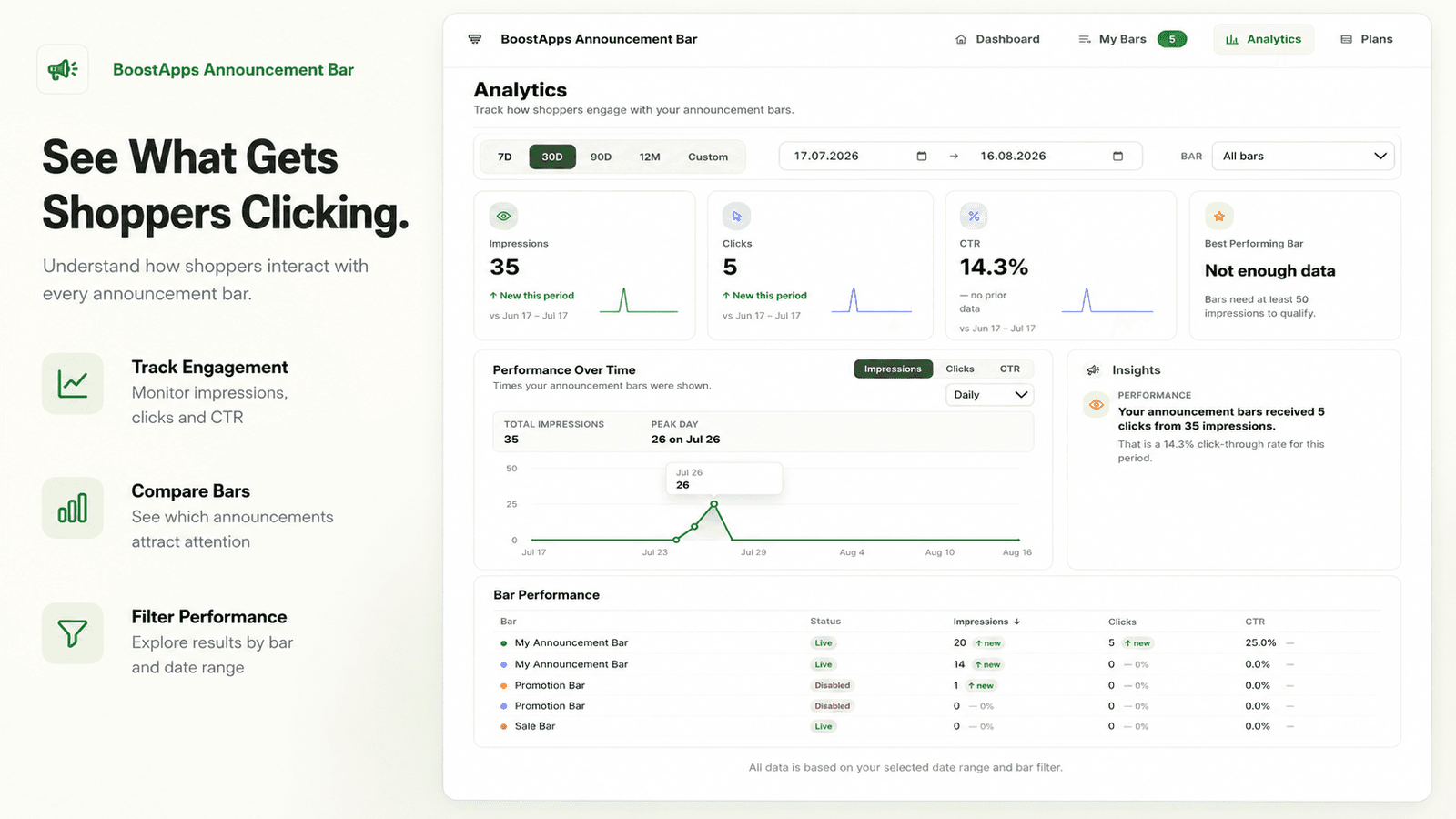
Impressions, clicks, and CTR per bar over the date range you choose, with a performance trend and per-bar breakdown.
FAQ
It lets you publish promotional bars on your storefront: sales, coupon codes, shipping notices, launches, and store updates. Each bar carries its own messages, styling, targeting, and schedule, and is rendered through a Shopify theme app embed.
Yes. Every bar is an independent campaign, and all bars that match the current page are stacked underneath each other on the storefront. The Free plan includes one bar; Pro removes the limit.
Yes, and this is available on the Free plan too. Add as many messages as the campaign needs and choose how they play: show only the first one, rotate them on an interval, or scroll them continuously. The icon, coupon, and CTA button stay in place while the messages change.
Yes. Add a discount code to the campaign and it appears in the bar with a Copy button, so shoppers can copy it in one tap. You can also choose to close the bar automatically after a successful copy.
Yes, with the Countdown bar type on the Pro plan. You set a deadline, place [[timer]] in your message, and the bar counts down live. When time runs out the bar either hides itself or switches to an ending message.
All plans can show a bar on every page. Pro adds advanced page targeting for the homepage, product pages, collection pages, and specific URLs, plus scheduling with start and end dates so campaigns can be prepared ahead of time.
The bar configuration travels with the theme through a shop metafield, so the storefront never has to call back to an external server to know what to display. There is no animation library, scrolling is a single CSS keyframe, and motion stops entirely under prefers-reduced-motion.
Install the app, then enable the announcement bar app embed in the Shopify theme editor. From there you create bars inside the app, preview them on desktop and mobile, and publish without editing theme code.
Yes, on the Pro plan. The Analytics page reports impressions, clicks, and click-through rate per bar over a date range you choose. Events are collected on the Free plan as well, so the history is already there when you upgrade.
There is a Free plan with one bar and all of the core messaging and styling options. Pro is $3.99 per month and unlocks unlimited bars, countdown bars, advanced page targeting, scheduling, duplicate, display order, and analytics.
Final CTA
Announcement Bar is being prepared for its Shopify App Store listing. Get in touch if you would like to hear when it goes live.